
Time Off requests
Review and decide the Time Off your people have requested, with the workload each request overlaps so you can weigh the impact before you approve.
Review and decide the Time Off your people have requested, with the workload each request overlaps so you can weigh the impact before you approve.
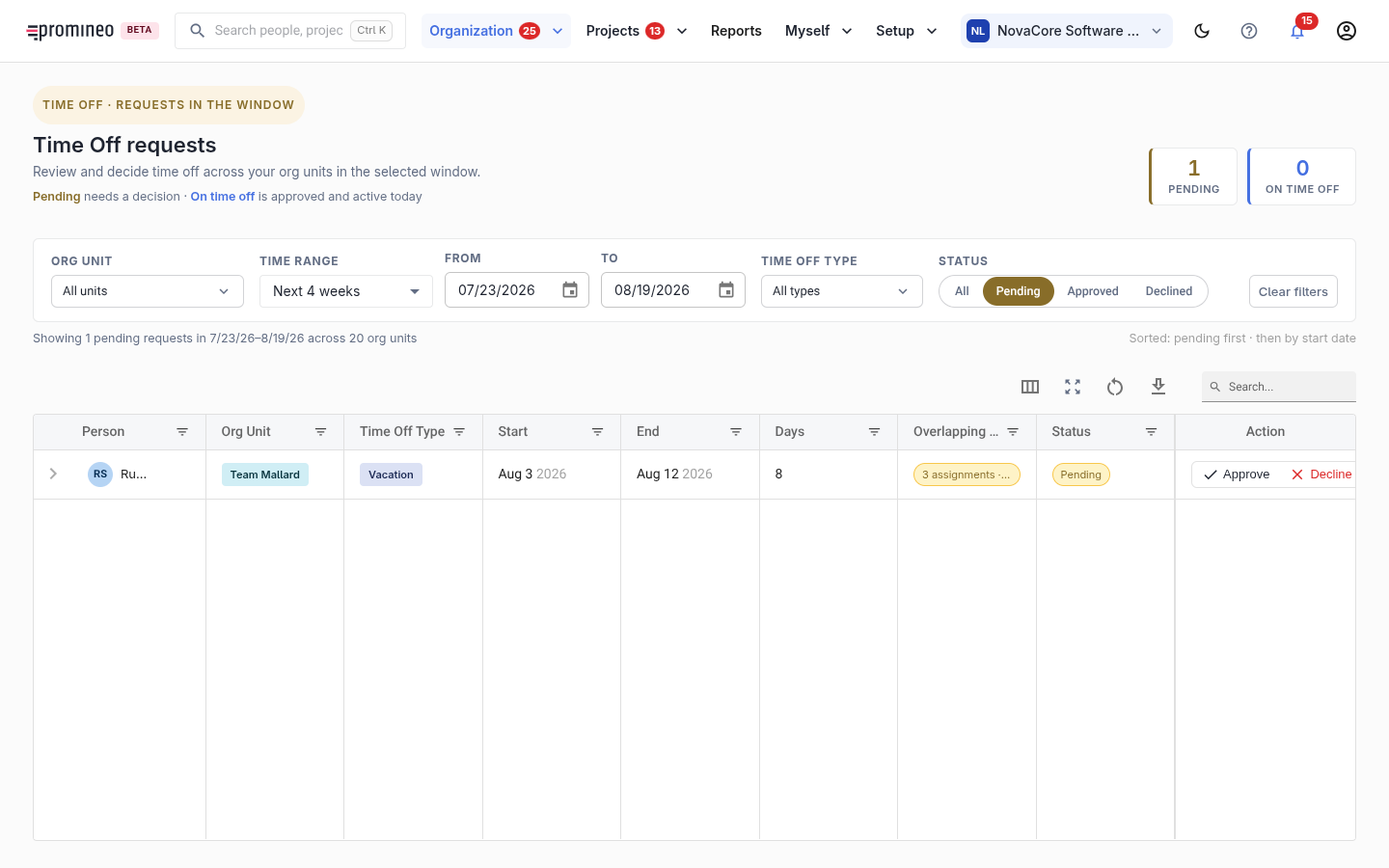
What you see
Each row is a Time Off request from someone in your organization unit(s): the person, the Time Off type, the start and end dates, the number of days, the workload it overlaps, and its status. Pending requests are listed first. Filter by organization unit, time range, an explicit from/to, Time Off type, and status (All / Pending / Approved / Declined). The counters show how many are pending your decision and how many people are currently off.
Why it matters, and how to use it
Time Off reduces a person's Availability, so approving it changes who is free for project work. Whether a given type of Time Off needs a decision at all is set on Time Off types — only types marked Approval needed land here. Work the Pending list: check the overlapping workload (approving leave for someone already busy can create a gap), then approve or decline. Approved Time Off flows straight into Availability everywhere else in Promineo.