
TBN positions
Every open request pointed at your organization unit — [Project Position](glossary) with no person assigned yet — with the most overdue first so nothing slips through.
Every open request pointed at your organization unit — Project Position with no person assigned yet — with the most overdue first so nothing slips through.
What you see
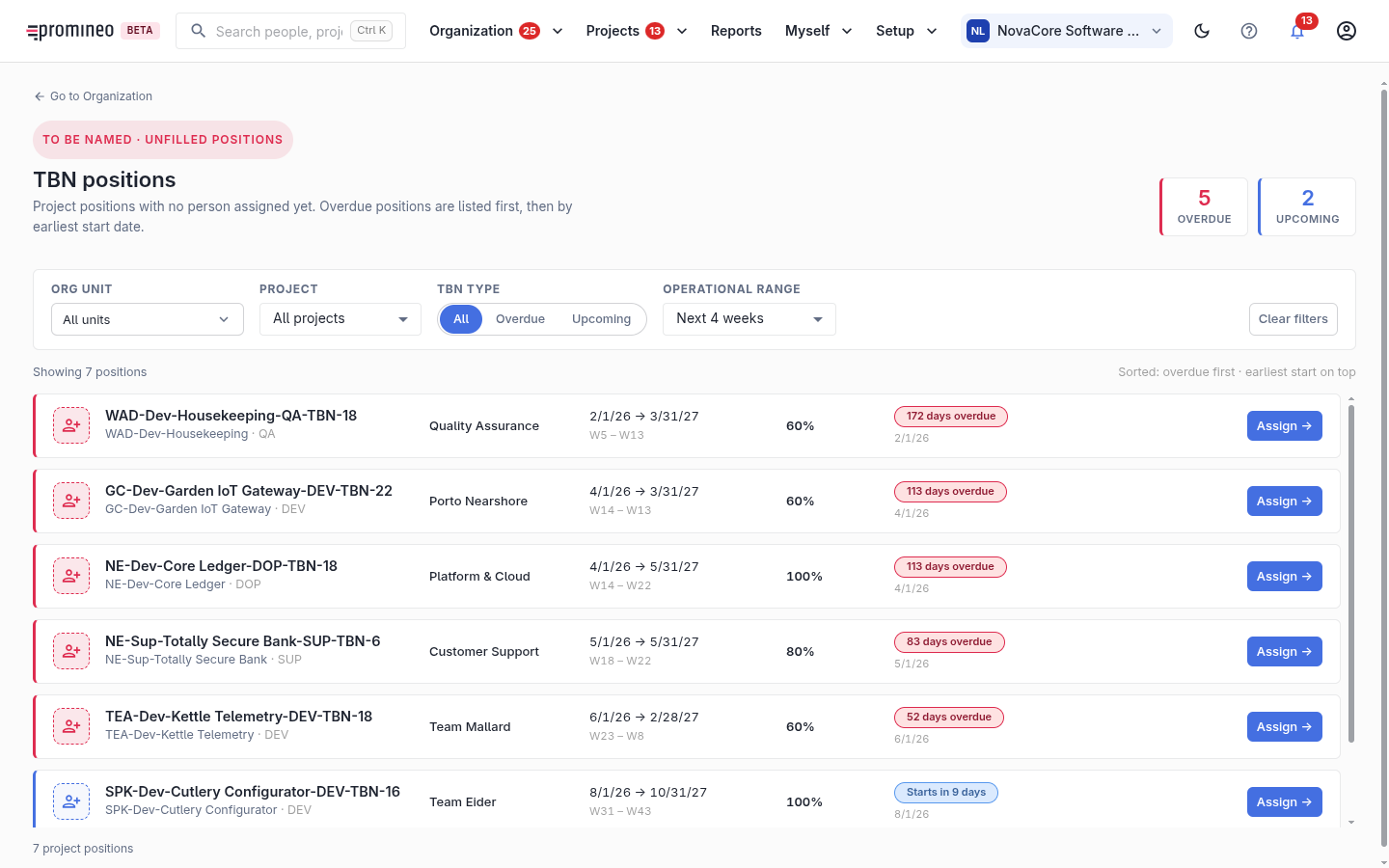
TBN means To Be Nominated: a Project Position that still has no name. Each row shows the position, its Project Role, the project and organization unit it belongs to, its date range and required load, and how overdue it is (e.g. 172 days overdue). Overdue positions are listed first, then by earliest start date. Filter by organization unit, project, TBN type (All / Overdue / Upcoming), and operational range. The Assign button on each row opens the flow to put a person on it.
Why it matters, and how to use it
An unfilled Project Position is unmet project demand — work someone is expecting your department to cover, with nobody doing it yet. Overdue ones are already past their start date, so they are the priority. Work top-down: for each open request, pick a person who can fill the Project Role and has Remaining availability (check People health), then Assign. As you clear the list, the counts on your Organization overview come down.