
Setup Wizard
A guided path through the five kinds of data Promineo needs, so a new organization can go from empty to usable in a few minutes.
A guided path through the five kinds of data Promineo needs, so a new organization can go from empty to usable in a few minutes.
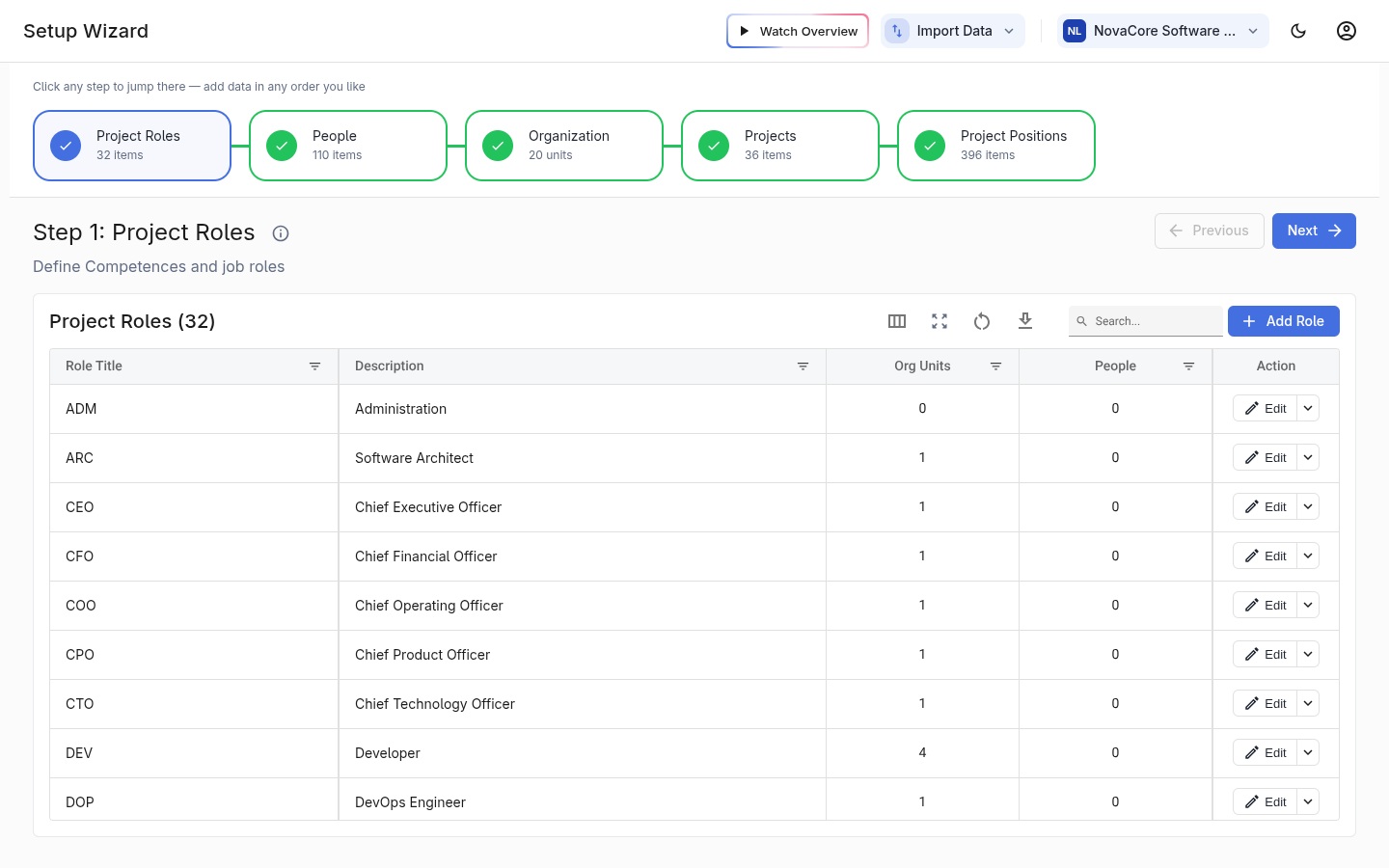
What you see
A progress stepper across the top shows the five setup steps, each with a live count of how much data you've added. You can jump to any step in any order — the wizard doesn't force a sequence. Watch Overview replays the short introduction video; Import Data brings information in from a spreadsheet.
The five steps
The steps follow the natural build order:
- Project Roles — the catalogue of roles projects can request.
- People — the people to plan, and their Availability.
- Organization — the organization unit structure, people per unit, and Project Role per unit.
- Projects — the project list.
- Project Positions — the demand, with its time-phased load.
Three ways to add data, and why
For every step you can enter data manually, import it from a spreadsheet, or generate example data from a pre-built industry. Import saves re-keying when the information already exists elsewhere; generated example data lets you explore Promineo with a realistic dataset before committing your own. The goal of the wizard isn't just to load rows — it's to help you understand what each kind of data is and the value it unlocks. Once you're set up, the same data is maintained day-to-day on the Setup, Organization, and Projects screens.