User Fields
Add your own custom fields to Promineo's entities — the extra properties your organization tracks that aren't built in.
Add your own custom fields to Promineo's entities — the extra properties your organization tracks that aren't built in.
What you see
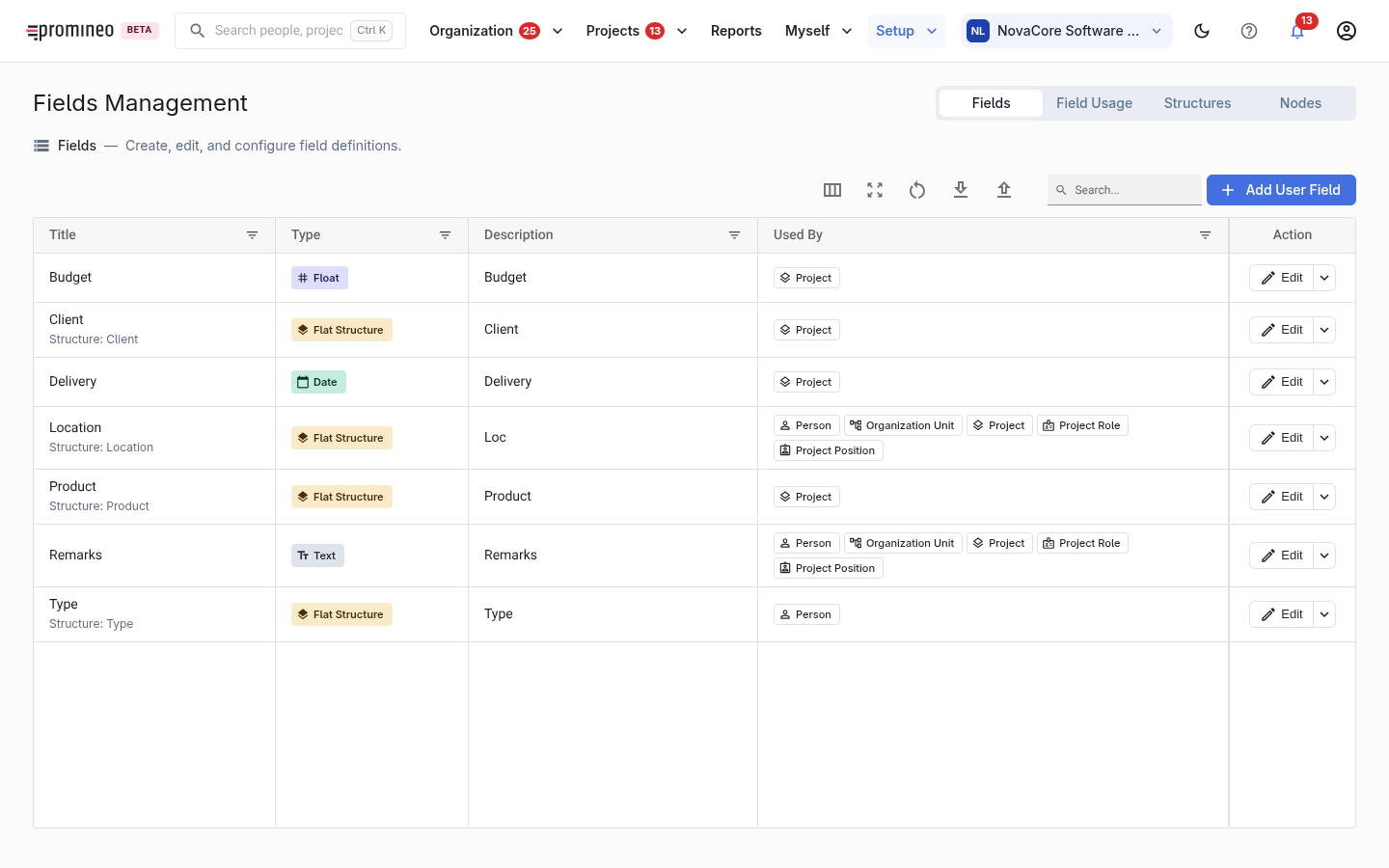
Each row is a user-defined field: its title, its data type (text, number, and so on), a description, and which entities it's used by — for example Person, Organization Unit, Project, Project Role, or Project Position. Add User Field defines a new one. The tabs across the top (Fields, Field Usage, Structures, Nodes) let you manage the definitions and how they're arranged.
Why it matters, and how to use it
Promineo's built-in entities cover the planning model, but every organization has its own attributes to record — a location, a cost centre, a certification, a shoe size. User Fields let you extend the relevant entity without custom development, so that data lives alongside everything else and can be viewed and filtered. Define a field once, attach it to the entities that need it, and it appears on those records.