
My Projects
A project manager's home base: which of your projects need attention, ranked by health, with the numbers that decide whether a project is on track.
A project manager's home base: which of your projects need attention, ranked by health, with the numbers that decide whether a project is on track.
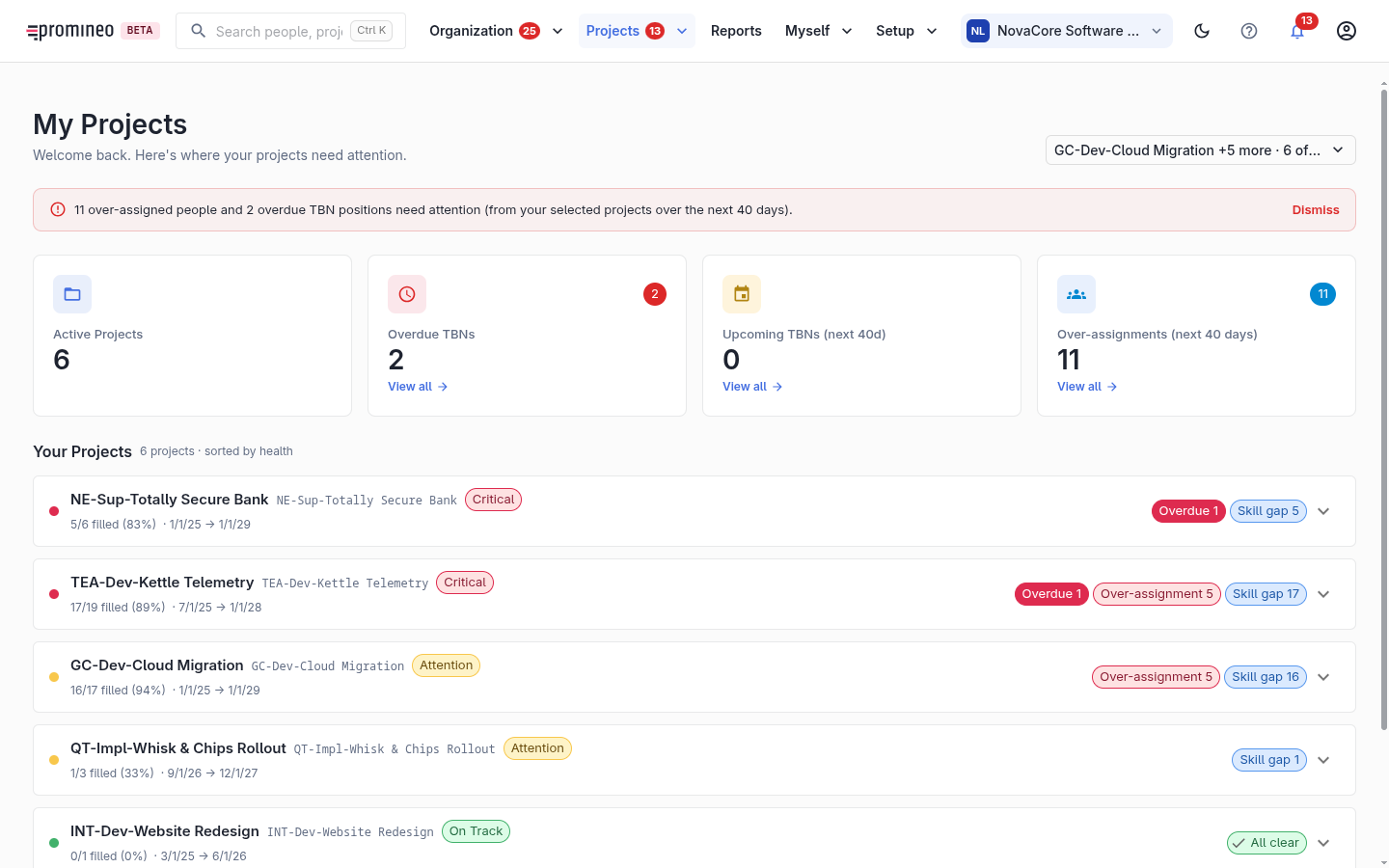
What you see
An alert banner flags urgent items across your projects (over-assigned people, overdue TBN) within a look-ahead window (e.g. the next 40 days). Summary tiles show active projects, overdue TBNs, upcoming TBNs, and over-assignments. Below, your projects are listed sorted by health.
Reading project health
Each project row carries a health tag and the signals behind it:
- Fill rate — how many Project Position are filled with a name versus still TBN (e.g. 5/6 filled (83%)).
- Over-assignment — people on the project assigned beyond their Availability.
- Skill gap — people whose Competence doesn't match the Project Role they're on.
The colour legend sorts projects into Critical (overdue TBN), Attention (upcoming TBN or over-assignments), and On track.
Why it matters, and how to use it
As a project manager your goal is a fully staffed project. This page answers your standing questions at a glance — are my positions filled, is anyone overloaded, are changes approved — and points you at the fix. From a project, open Projects to maintain its properties and Project Position to adjust its demand.