
Project Position
Where project demand is actually specified. A Project Position is one unit of need — a Project Role, a time period, and a required effort — attached to a project.
Where project demand is actually specified. A Project Position is one unit of need — a Project Role, a time period, and a required effort — attached to a project.
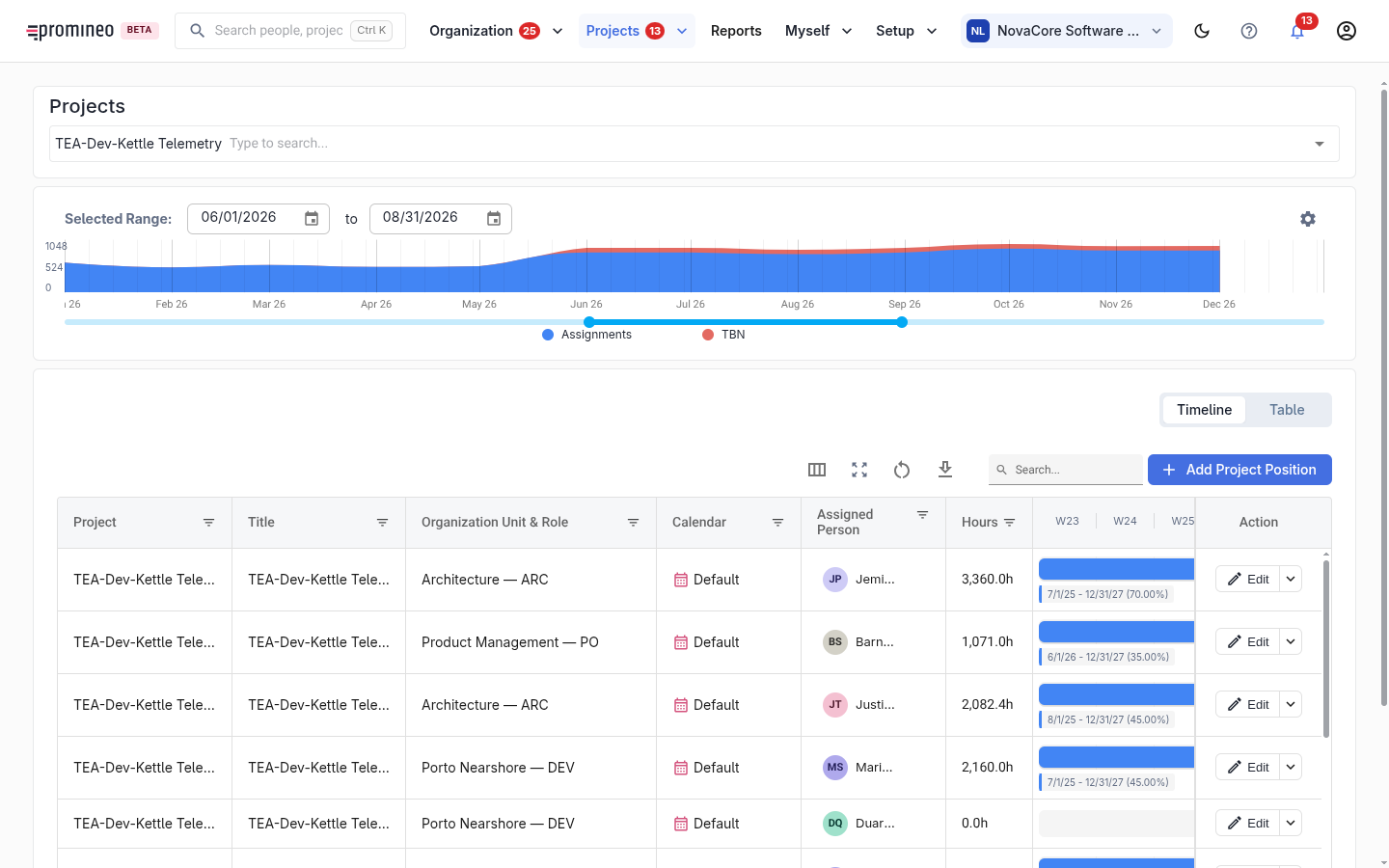
What you see
Pick a project at the top; its Project Position then load into the grid. Each row shows the Project Role and organization unit, the total hours, a time-phased load, and the assigned person (or blank while it is still TBN). The demand curve above the grid sums the project's load over time, with Assignments and TBN shown separately. Toggle between Timeline and Table, and set the visible date range with the pickers and slider. Add Project Position creates a new unit of demand.
The load timeline
A Project Position isn't a single number — its effort can vary over time (a ramp-up then ramp-down, a steady 26%, and so on). The Schedule & Load column draws this as a Gantt-style bar across weekly buckets, labelled with the date span and load percentage (e.g. 7/1/25 – 12/31/27 (70.00%)). That time-phased load is what feeds every availability-versus-demand calculation elsewhere in Promineo.
How to specify demand
Select the Project Role first — that decides which organization unit and manager the request routes to. Set the time period and the load. If you already know who will do the work, assign them; if not, leave it TBN and it will appear on the organization's TBN positions list for a manager to fill. Positions can also be nested (for example, a rotation), so a parent position can carry child positions.