
Organization overview
Your operational command centre as an organization manager: who needs attention right now, and whether your people can cover the demand coming at them.
Your operational command centre as an organization manager: who needs attention right now, and whether your people can cover the demand coming at them.
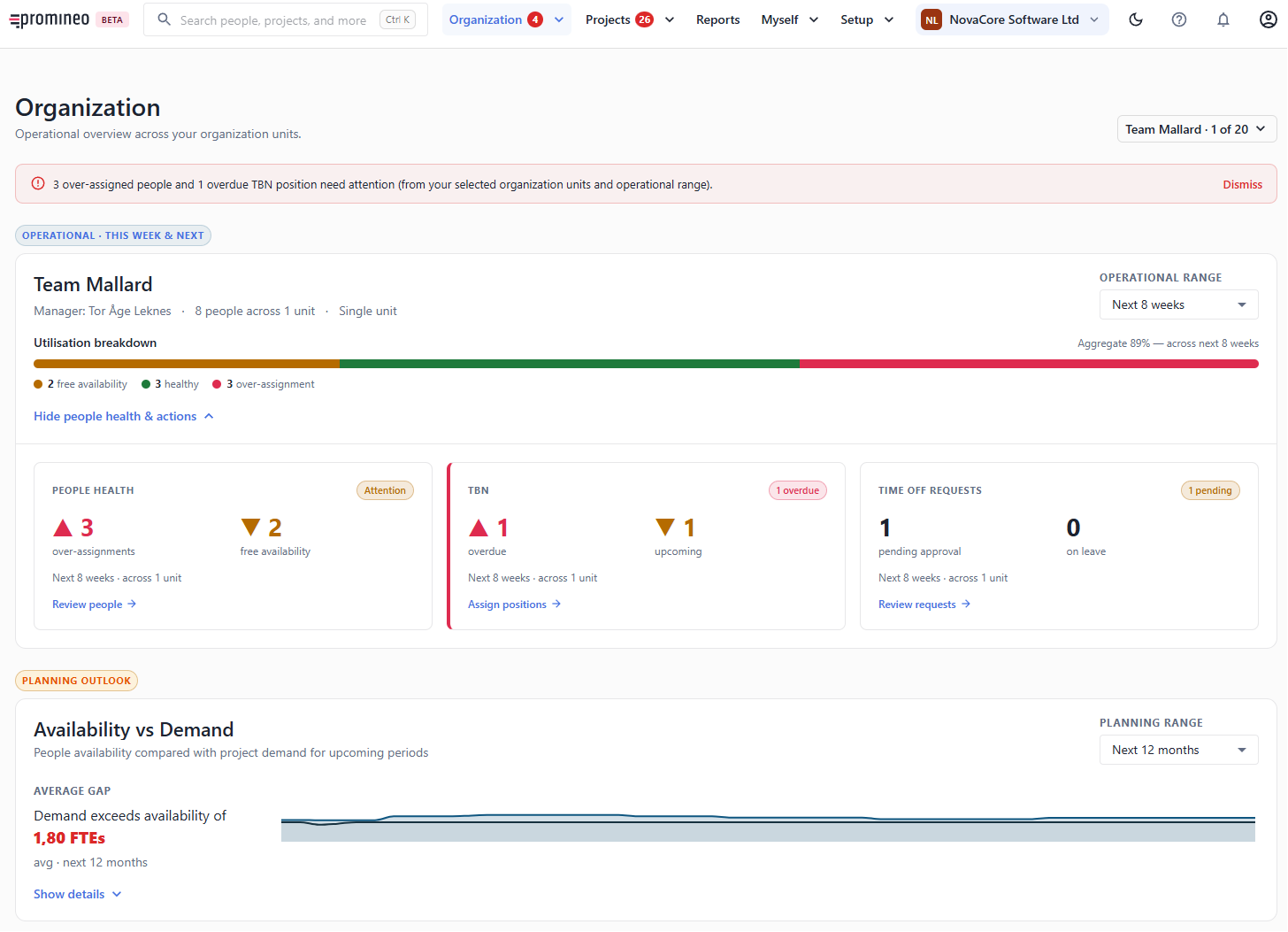
What you see
The page is scoped to the organization unit(s) you pick (top-right) and an operational range such as this week & next. At the top, an alert banner sums up the urgent items — for example "20 over-assigned people and 5 overdue TBN positions need attention".
Three cards give you one-click routes into the work:
- People health — how many people are in Over-assignment versus have Remaining availability. Review people opens People health.
- TBN — overdue and upcoming Project Position with no name yet. Assign positions opens TBN positions.
- Time Off requests — how many are pending your approval and how many people are currently off. Review requests opens Time Off requests.
Utilization breakdown
The bar splits your people into Remaining availability, healthy, and Over-assignment, with an aggregate utilization percentage for the range. It tells you at a glance whether the department is under-used, well balanced, or overcommitted this week.
Planning outlook: Availability vs demand
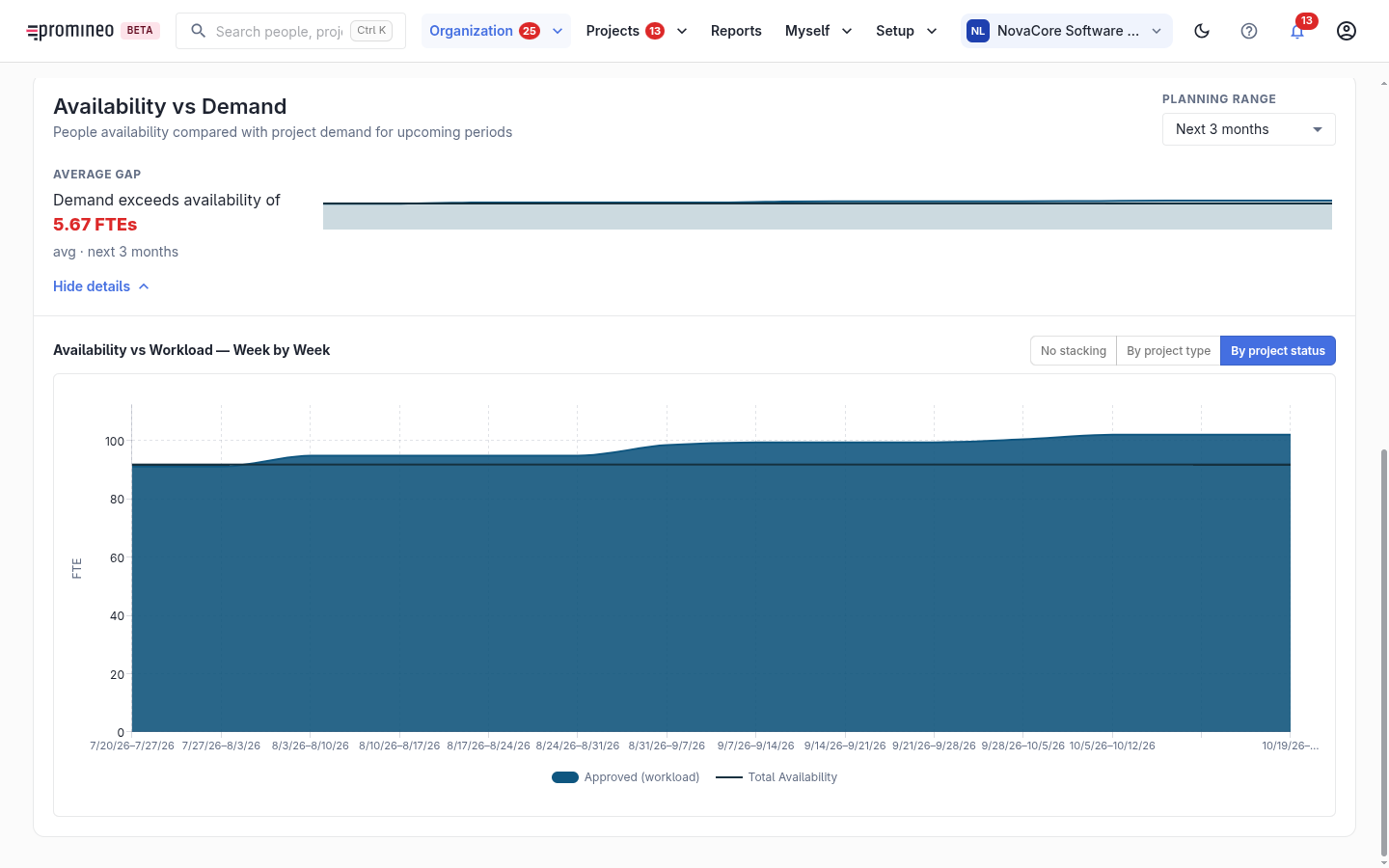
Below the operational snapshot, the planning outlook looks further ahead (e.g. the next 3 months). It shows the average gap between Availability and project demand in FTE — for example "Demand exceeds availability of 5.67 FTEs" — with a week-by-week chart. Use it to spot a shortfall or a surplus early, while you still have time to hire, reassign, or push work.
Why it matters
As an organization manager your job is to keep people well used and make sure the department can meet what projects ask of it. This screen surfaces the two failure modes — people overloaded, and demand you can't cover — before they become a crisis.