
Work Calendar
Keep your own Availability accurate and request Time Off — the two inputs that decide how much of you is plannable.
Keep your own Availability accurate and request Time Off — the two inputs that decide how much of you is plannable.
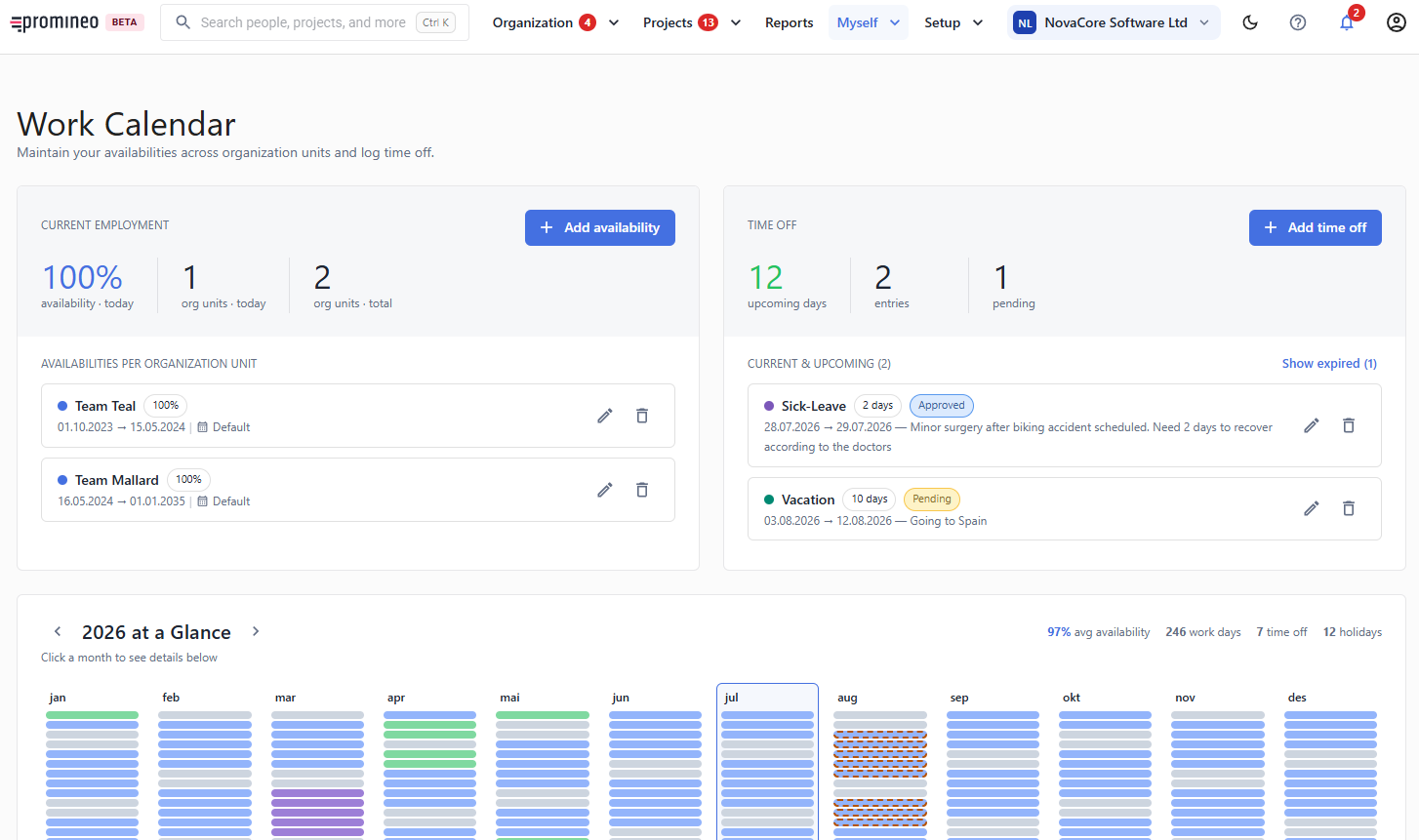
What you see
The left panel, Current Employment, shows your Availability today and the organization unit(s) it applies to, listed under Availabilities per organization unit. Add availability records a new availability (for example if you split time across two units or move from part-time to full-time). The 2026 at a Glance calendar below summarizes your year — work days, average Availability, Time Off, and holidays — month by month; click a month for the detail.
Time Off
The right panel handles Time Off: counts of upcoming days, entries, and pending requests, with Add time off to request more. Depending on the Time Off type, a request may need your manager's approval before it takes effect — you can track that here, and approvals show up for the manager on Time Off requests.
Why it matters
Your Availability is the supply Promineo plans against, and Time Off reduces it. If either is wrong, every downstream view — your own overview, your manager's People health, and the organization's reports — is wrong too. Keeping this screen current is the single most useful thing an employee can do in Promineo.