
My Competence
Tell Promineo which Project Role you're qualified to fill, so you show up as a candidate for the right work — and so skill gaps get flagged.
Tell Promineo which Project Role you're qualified to fill, so you show up as a candidate for the right work — and so skill gaps get flagged.
What you see
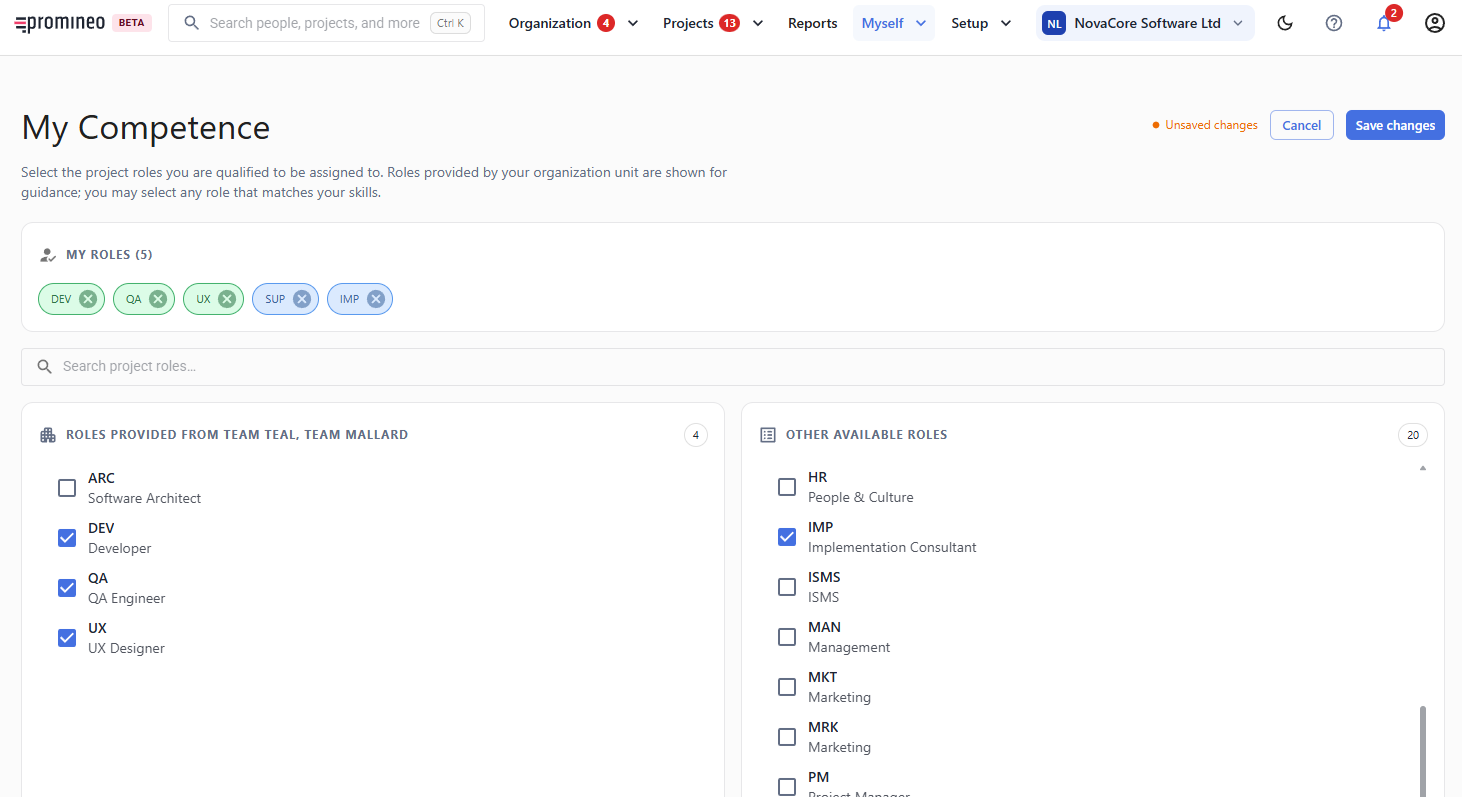
Your Competence is the set of Project Role you can fill. My Roles lists what you've selected so far. Below, roles are split into those provided by your organization unit (shown for guidance) and other available roles — you may tick any role that matches your skills, not just your unit's. Search to find a role quickly, then Save changes.
Why it matters, and how to use it
Competence is optional but valuable. It powers two things: it helps managers find the right person when they assign an open Project Position, and it lets Promineo flag a Skill gap — when someone is assigned to a Project Role their Competence doesn't cover. Keep your roles honest and current: too few and you're invisible to work you could do; too many and you'll be matched to work you can't. This is one of the "is my data correct?" checks every employee should keep up to date, alongside your Work Calendar.